Everything on your box is already in a cgroup
Most people meet cgroups through containers and come away thinking they're a container thing. They aren't. Every process on a modern Linux box is in a cgroup right now, including the shell you're reading this in, and something already built a careful tree of them without asking you.
Ask your shell where it lives.
$ cat /proc/self/cgroup
0::/user.slice/user-1000.slice/user@1000.service/app.slice/
   app-org.gnome.Terminal.slice/vte-spawn-e3bcaee1....scope
Six levels deep, and nobody set that up deliberately. The kernel will tell you how many of these exist.
$ grep nr_descendants /sys/fs/cgroup/cgroup.stat
nr_descendants 181
That's 181 below the root, so 182 in all. Two honest caveats before that number does any work. Most of them hold nothing, because slices and mount units are structure rather than processes. And 280 processes sit in the root cgroup outside the tree entirely, because every kernel thread lives there and can't be moved out.
Still, the shape is real and nobody drew it on purpose. That's the thing worth taking from this. The machinery is already running on your box, per service, with nothing installed and nothing configured. This isn't a feature you turn on for containers. It's the structure your machine is already organized by, and learning to read it is worth more than learning to configure it.
What a cgroup is for
A cgroup is a group of processes plus a set of knobs, arranged in a tree. Before the knobs, it accounts. Hold onto that split, because people only ever talk about the knobs, and the accounting is the half that pays rent.
The kernel documents four ways a controller can distribute a resource, and most people only know the second.
- Limits. A ceiling it can't go past.
memory.max,cpu.max. This is the one everybody means when they say cgroups. - Weights. Relative share when there's contention.
cpu.weight. Usually the better tool, because it costs nothing when the machine is idle. - Protections. A floor rather than a ceiling.
memory.min,memory.low. Nobody uses these and they're the answer to half the problems people reach for limits to solve. - Allocations. An exclusive slice of a countable thing.
cpuset.cpus.
All four are useful. Only the accounting underneath is guaranteed to be there when you need it. Here's a service on this box with no memory limit set at all.
$ cd /sys/fs/cgroup/system.slice/containerd.service
$ cat memory.max memory.current
max
163532800

$ head -3 cpu.stat
usage_usec  496236921
user_usec   304889973
system_usec 191346948
No limit anywhere, and the kernel is still counting. 156 MiB of memory, and every microsecond of CPU that service has ever burned, broken out per service, on a machine where nobody installed a metrics agent. That's the free sample. The full audit is already on disk.
How free that actually is
It would be neat to say accounting is always on and costs nothing to enable. That isn't true, and the distinction is worth getting right because it's the first thing that will confuse you when you make your own cgroup.
Two things exist in every cgroup no matter what, with no controller enabled at all.
cpu.stat's usage counters, and PSI in cpu.pressure,
memory.pressure and io.pressure. Those really are free.
Everything else needs its controller enabled in the parent first. Make a bare cgroup
with nothing turned on and memory.current doesn't read zero, it doesn't
exist.
$ mkdir -p tbi/child
$ cat tbi/child/cgroup.controllers
$ ls tbi/child/memory.current
ls: cannot access 'tbi/child/memory.current': No such file or directory
So why did containerd.service have it? Because systemd turned it on.
DefaultMemoryAccounting, DefaultCPUAccounting and
DefaultTasksAccounting all default to yes on most distributions, which is a
systemd policy choice rather than anything the kernel promises. DefaultIOAccounting
defaults to no, which is why the IO column in systemd-cgtop is
mostly empty. If that column is empty on your box, that's not your machine being quiet.
That's a default you never looked at.
The tree you didn't know you had
cgroup v2 is a single tree rooted at /sys/fs/cgroup, and every process
sits at exactly one place in it. Your shell's path from /proc/self/cgroup
reads top down.
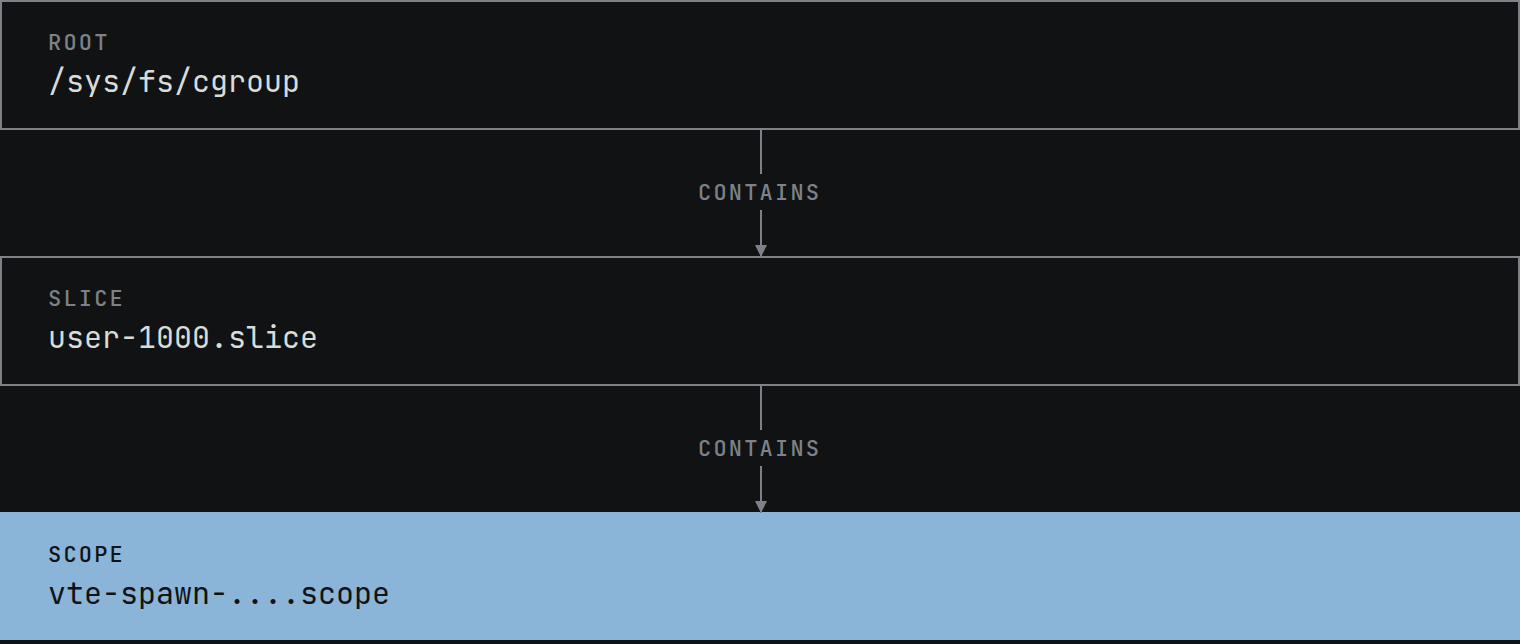
systemd built that tree, and it names things in three ways that are worth recognizing because they tell you what a directory is for.
.sliceis a branch. It groups things and carries limits, and by systemd's own convention holds no processes.system.slice,user.slice..serviceis a unit systemd started.containerd.service,cron.service..scopeis a unit systemd did not start. An external process asked systemd over D-Bus to make one and adopt it. Your terminal, an SSH login, and your Docker containers.
That last distinction is the useful one. Services are things systemd launched, scopes
are things that registered themselves and got organized anyway. It's why containers show
up in this tree at all, at least when the runtime is using the systemd cgroup driver.
Under the cgroupfs driver they sit at /sys/fs/cgroup/docker/
and aren't systemd units at all, and on a Kubernetes node they're under
kubepods.slice.
$ ls -d /sys/fs/cgroup/system.slice/*.scope | head -2
/sys/fs/cgroup/system.slice/docker-1f0da1d5ff11e1de...scope
/sys/fs/cgroup/system.slice/docker-3fa0d58df5a0badf...scope
One caveat on "branch" and "leaf", because it will bite you. Those are not properties
of the suffix. A .service that delegates a subtree has children and no
processes of its own, which makes it structurally a branch. The one this article is
about to hand you, user@1000.service, is exactly that.
Run systemd-cgls to see the whole thing, and systemd-cgtop
for a live top style view of it sorted by usage. Neither needs anything installed.
It is a filesystem, and that is the whole API
There's no create_cgroup() syscall. The configuration interface is
a filesystem and nothing else.
$ stat -fc %T /sys/fs/cgroup
cgroup2fs
Three operations cover everything.
mkdir foocreates a cgroup. The kernel populates it with interface files immediately.echo $PID > foo/cgroup.procsmoves a process into it. A process is in exactly one cgroup, so this is a move rather than an add, and forked children inherit it. Its threads can be split up, but only inside a threaded subtree.echo 100M > foo/memory.maxsets a limit. The short suffixes work and the IEC spellings do not, so100Mis fine and100MiBis Invalid argument.
The one asterisk is placement rather than configuration. Since kernel 5.7
clone3() takes a CLONE_INTO_CGROUP flag that spawns a process
straight into a cgroup without going near cgroup.procs, and systemd uses
it. BPF programs attached to a cgroup are the other exception, and those go through
bpf(2) rather than any file. Everything else really is cat
and echo, and ls is the documentation.
Controllers, and why your new cgroup has almost no files in it
The knobs come from controllers, and controllers are not automatically available everywhere. Two files govern this and mixing them up is the standard first stumble.
cgroup.controllersis read only. It lists what's available to this cgroup, which is whatever its parent handed down. At the root there's no parent, so it lists everything compiled in and not held by a v1 hierarchy.cgroup.subtree_controlis writable. It decides what this cgroup hands down to its children, and takes+nameor-name.
$ cat /sys/fs/cgroup/cgroup.controllers
cpuset cpu io memory hugetlb pids rdma misc dmem

$ cd /sys/fs/cgroup/user.slice/user-1000.slice/user@1000.service
$ mkdir tbi && echo '+cpu +memory' > tbi/cgroup.subtree_control
So if you make a cgroup and find it has no memory.max, the parent hasn't
enabled the memory controller for its children. Nothing is broken.
The rule that will cost you an afternoon
v2 enforces something v1 didn't, and it's usually explained wrong. You'll read that "a cgroup with children can't hold processes." That isn't the rule and believing it will send you looking in the wrong place.
A cgroup cannot both contain processes and have controllers enabled in
cgroup.subtree_control. Children have nothing to do with it.
It's easy to prove to yourself, and it cuts both ways.
# a cgroup WITH children, no controllers enabled
$ echo $$ > parent/cgroup.procs
# fine. children are irrelevant.

# a cgroup with NO children, one controller enabled
$ echo '+memory' > leaf/cgroup.subtree_control
$ echo $$ > leaf/cgroup.procs
bash: echo: write error: Device or resource busy

# and the reverse fails too
$ echo '+memory' > occupied/cgroup.subtree_control
bash: echo: write error: Device or resource busy
The + is not decoration. cgroup.subtree_control takes
+name and -name only, and a bare memory is
rejected with Invalid argument before the kernel ever evaluates the rule
above. Which is its own trap, because the write fails silently enough that you'd then
watch the next command succeed and conclude the constraint isn't real.
The reasoning is that a cgroup can't sensibly compete with its own children for a resource, so the kernel makes you choose. Distribute at the branches, run processes at the leaves.
Two exemptions. The root cgroup, which holds 280 processes and has every controller
enabled at once. And threaded subtrees, which exist so a single process's threads can be
split across cgroups. Worth knowing that a threaded subtree only gets the threaded
controllers, meaning cpu, cpuset, pids and
perf_event. memory and io are domain controllers
and simply aren't available in there.
The knobs worth knowing
There are a lot of files. These are the ones that earn their place.
cpu.maxis a quota and a period in microseconds.50000 100000is half a core.cpu.weightis a relative share instead, default 100, and it's usually the better choice because it only bites under contention rather than capping you when the machine is idle.memory.maxis the hard ceiling.memory.highthrottles hard instead of killing, though under pressure it can still be breached.memory.minis a hard reservation the kernel will OOM rather than reclaim, andmemory.lowis the best effort version.io.maxlimits bytes and IOPS per device, keyed by major:minor.pids.maxcaps how many tasks exist in the cgroup. Tasks, not processes, so threads count. It's the fork bomb defence and also the reason a JVM with a large thread pool can hit it without forking anything.cpuset.cpuspins the cgroup to specific cores.
Read before you write
Most of the value here is diagnostic, not configuration. These are the files that answer most questions.
memory.currentandcpu.statare what it's using now. Neither exists on the root cgroup, only below it.memory.peakis the high water mark. Unlike a metrics graph it isn't sampled, so it catches spikes that happened between two scrapes. Since kernel 6.12 it's writable, and any write resets it, which makes it usable as a marker around a test rather than only a lifetime maximum.memory.eventscounts threshold crossings.highcounts throttling, andmaxcounts times usage was about to cross the ceiling. Note it's hierarchical and rolls up descendants, so when you want this cgroup's own numbers you wantmemory.events.local.memory.pressure,cpu.pressureandio.pressuregive you PSI, which is stall time rather than usage. It rises before anything dies, and it's there whether or not any controller is enabled.
None of this needs an agent. The agent you'd install reads these same files. When you're trying to understand one process on one box, skip the middleman.
Trying it without root
You don't need to be root, because systemd delegates a subtree to your user manager. It's a privileged helper doing that for you, but the result is a corner of the tree you own outright.
$ cd /sys/fs/cgroup/user.slice/user-1000.slice/user@1000.service
$ cat cgroup.controllers
cpu memory pids
Read that path carefully, because it's user@1000.service and not your
session. If you SSH in you land in a session-N.scope, which is root owned,
and mkdir there gets you Permission denied. The delegated subtree is the
user manager's, so that's where you have to be.
Three controllers, enough to do something real. io and
cpuset are absent, so the io.max and cpuset.cpus
bullets above need root or a delegation that includes them. pids is there,
so the fork bomb experiment is available to you.
The boring conclusion
cgroups landed in 2008, five years before Docker existed. They aren't part of it, and they're running on your laptop right now holding a tree of 182 groups you never configured.
The thing worth taking away isn't how to set a limit. It's that the accounting is already switched on, per service, on every systemd box you have, and a directory listing will tell you what a machine is really spending its memory and CPU on before you install a single agent.
Where this goes next is how cgroups and namespaces compose into a container, and then what a memory limit actually does when you hit it.
What's the thing you assumed needed a tool, and turned out to be a file?